Skip to content
Arroz

iPhone · Português, English, Español

What keeps the house running

Arroz splits expenses between people who live together and people who travel together, and keeps your monthly budget somewhere nobody else can see.

The app does not move money. It works out who owes whom; the transfer happens between people, by bank transfer or however they prefer.

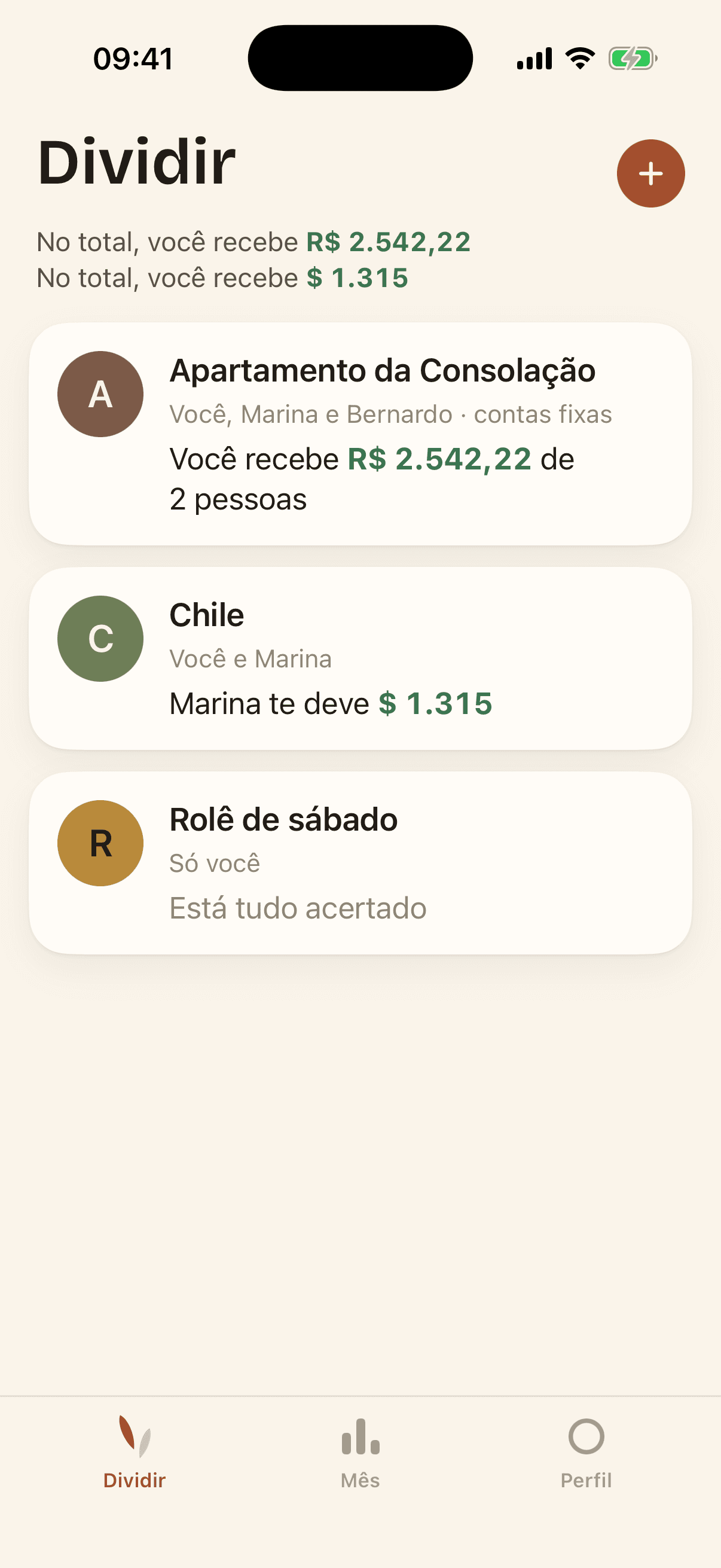
The app's list of groups, showing each group's balance.

Why Arroz

Arroz is Portuguese for rice — what sits on everyone's plate, every day, and nobody argues about. It holds the house together without drawing attention, and that is how an app about money between close people should work.

Splitting a bill with someone you love is delicate. The app exists to take weight off that conversation: it keeps the numbers so that nobody has to say them out loud.

Two things that stay apart

Split

Household groups — the people you live with, fixed bills, month after month — and trip groups — temporary, many expenses in a few days, settled at the end.

You join a group with a six-letter code, never by email. You can add someone by name alone, before they have the app; they claim that spot when they join with the code.

Month

Your personal budget: what comes in, what goes out, categories, accounts and recurring rules.

The contents are private: your entries, categories and amounts stay on your iPhone and sync through your own iCloud. They are not shared with anyone.

Profile

Apple account, the name other people see in the group, language, theme, Face ID lock, alerts and usage data sharing.

Deleting your account is here too, without having to ask anyone.

How it works

Three steps to the first settle-up. None of them asks for anyone else's email.

  1. 1

    Create the group

    Household or trip. It comes with a six-letter code from the start.

  2. 2

    Pass the code along

    Anyone with the code can join. Anyone who does not have the app yet can be added by name.

  3. 3

    Log the expenses

    Equally, by exact amounts, or to a single person. Balances are recalculated on the spot.

The app

Screenshots of demonstration data — none of them show anyone's real information.

  • The app's list of groups, showing each group's balance.

    Your groups, each with its balance.

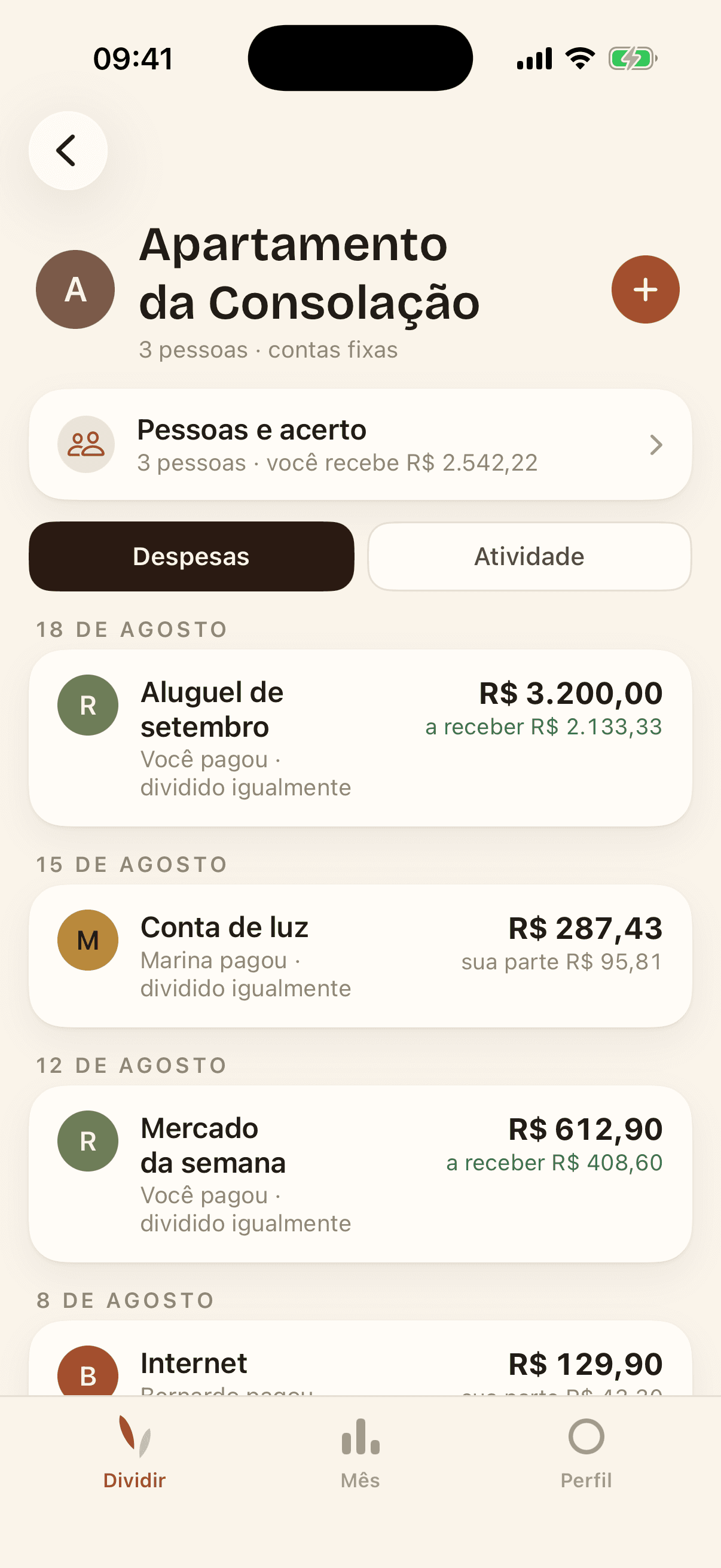
  • A group with expenses logged and the settle-up block at the top.

    Inside a group: expenses, balances and the settle-up.

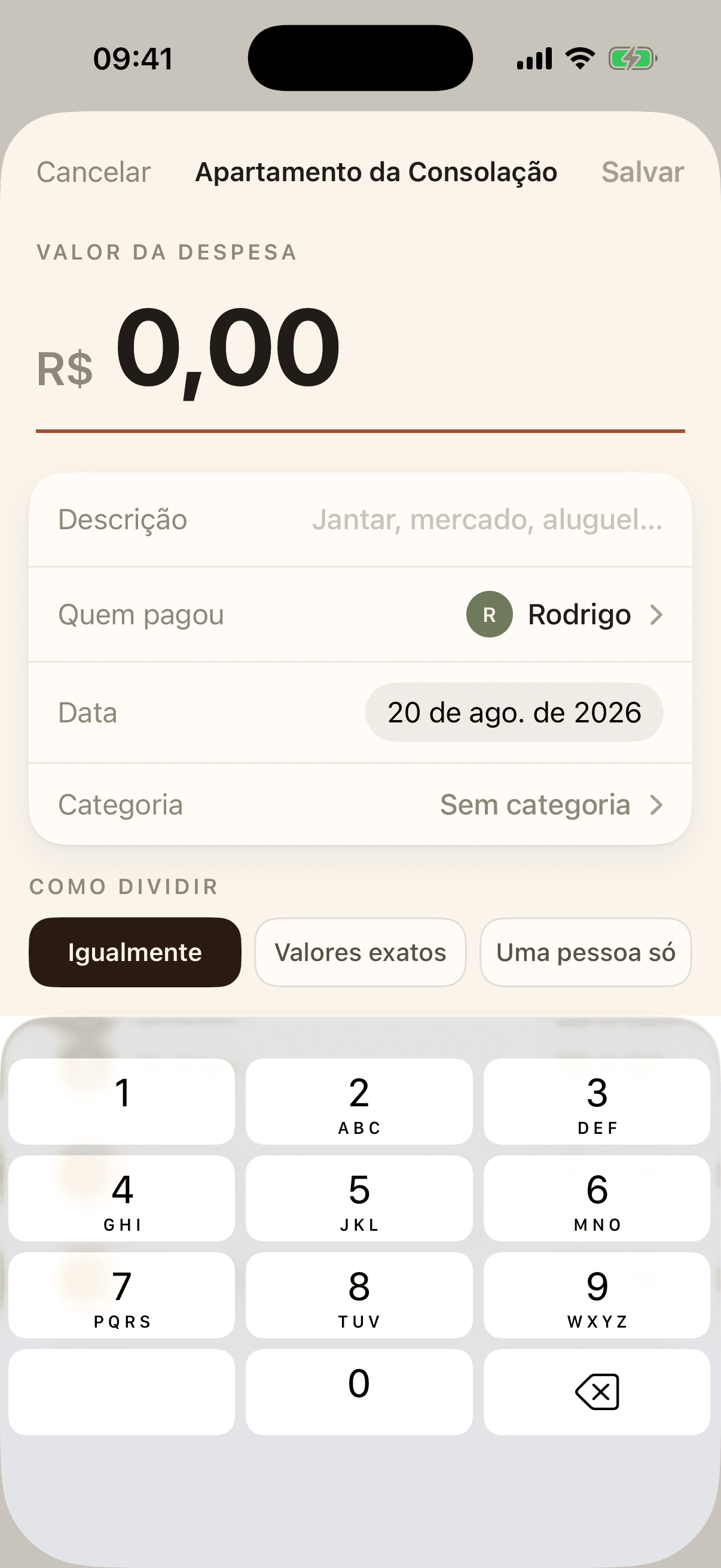
  • The new expense screen, with amount, description, who paid and the split mode.

    Three ways to split: equally, exact amounts, or one person.

  • The group's history, showing who logged, edited or deleted each expense.

    The history records who touched what, and nobody can rewrite it.

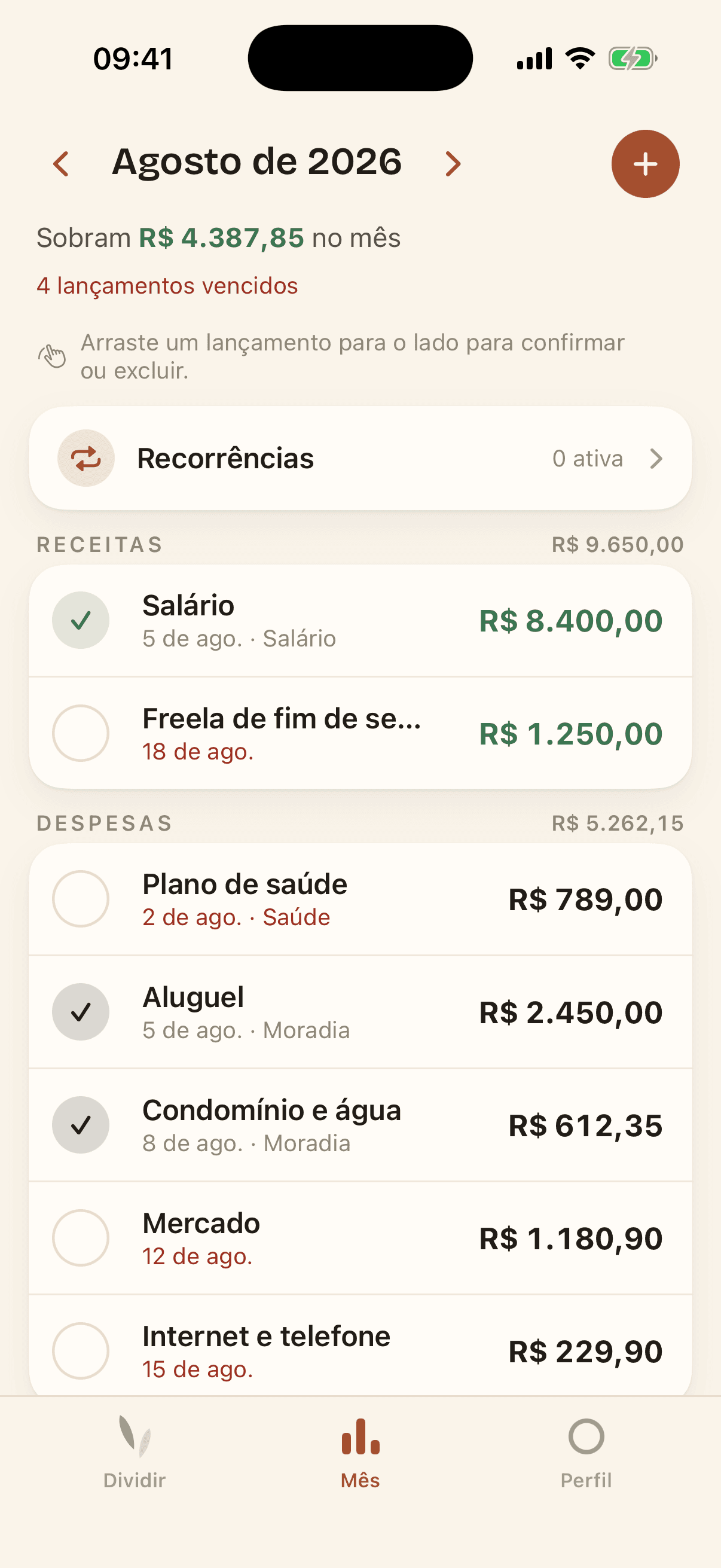
  • The Month tab, with income, spending and personal budget categories.

    The Month tab, which only you can see.

What the app does not do

The short list matters more than the long one. None of this is a statement of intent: it is what is, or is not, in the code.

  • It has no advertising tracker or ad SDK, and builds no behavioural profile to sell to anyone.
  • It shows no ads and sells nobody's data.
  • It does not ask for contacts, location, camera, photos, microphone or calendar.
  • It does not ask for anyone's email to invite them: invitations are a code, typed in by the person themselves.
  • It does not move money and stores no card or bank account details.

And one thing it does: it counts how it is used

To know what to improve and what to fix, the app records anonymous actions — that the app was opened, that an entry was created. Never amounts, never descriptions, never names. The record is not tied to your account, and you can switch it off under Profile at any time.

Read the privacy policy

Need a hand?

The help center has thirteen articles, from the first group to deleting your account.

Open the help center