How to log an expense
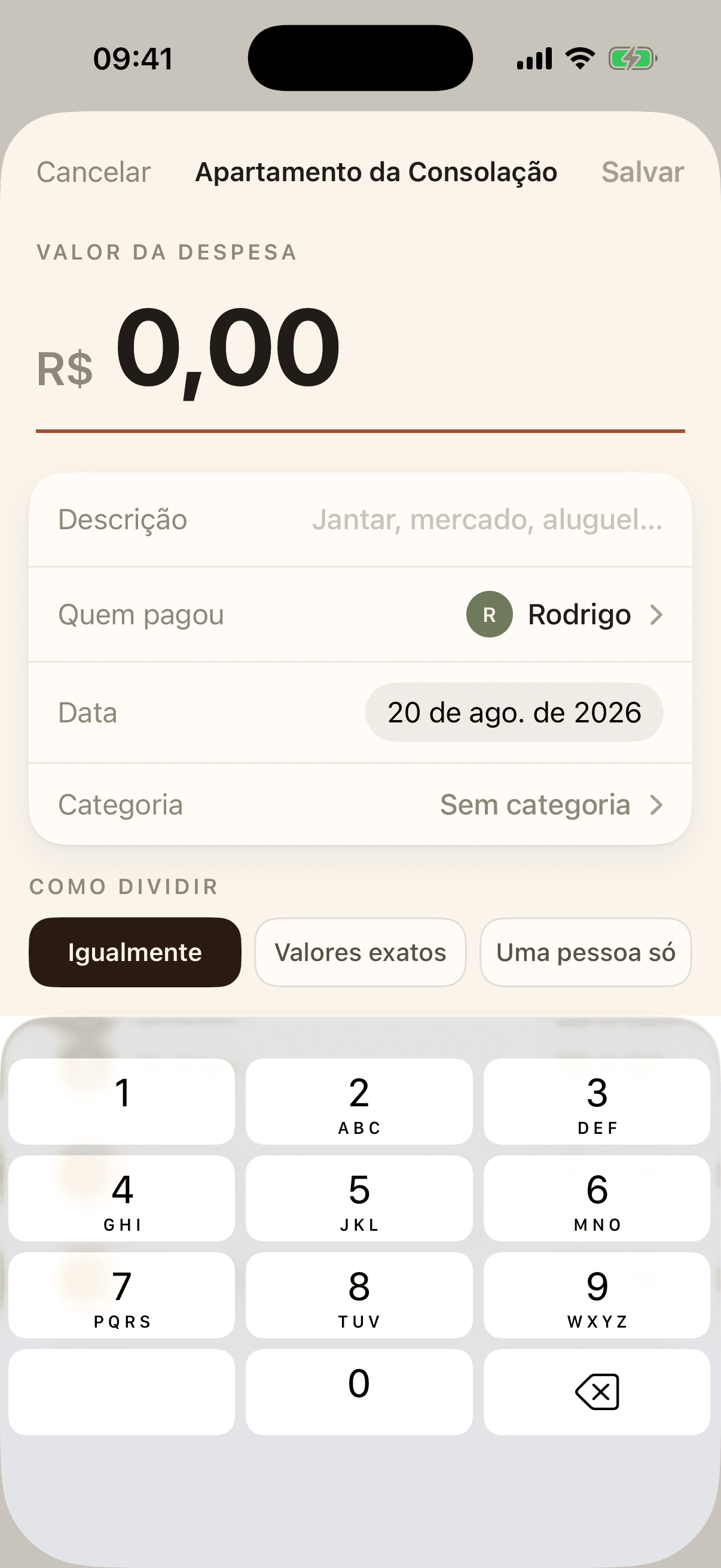
Inside the group, tap the + next to the name. Enter the amount, a description and who paid. Then choose how to split it:
- Equally — everyone pays the same share. The cent that does not divide evenly goes to the first person on the list, so the total adds up exactly.
- Exact amounts — you type how much each person owes. It can only be saved once the parts add up to the total, and the line underneath shows how much is missing.
- By percentage — each person pays a share as a percentage. The shares have to add up to 100%, and if the group has already agreed on a proportion, it comes filled in.
- One person — the whole expense goes to whoever you pick. For a cost that is not shared.