How to split without going down the middle
Not every household splits the bills in equal parts: when one salary is larger than the other, it is common for whoever earns more to pay a bigger share. The app keeps that proportion in the group, and it applies to every new expense.
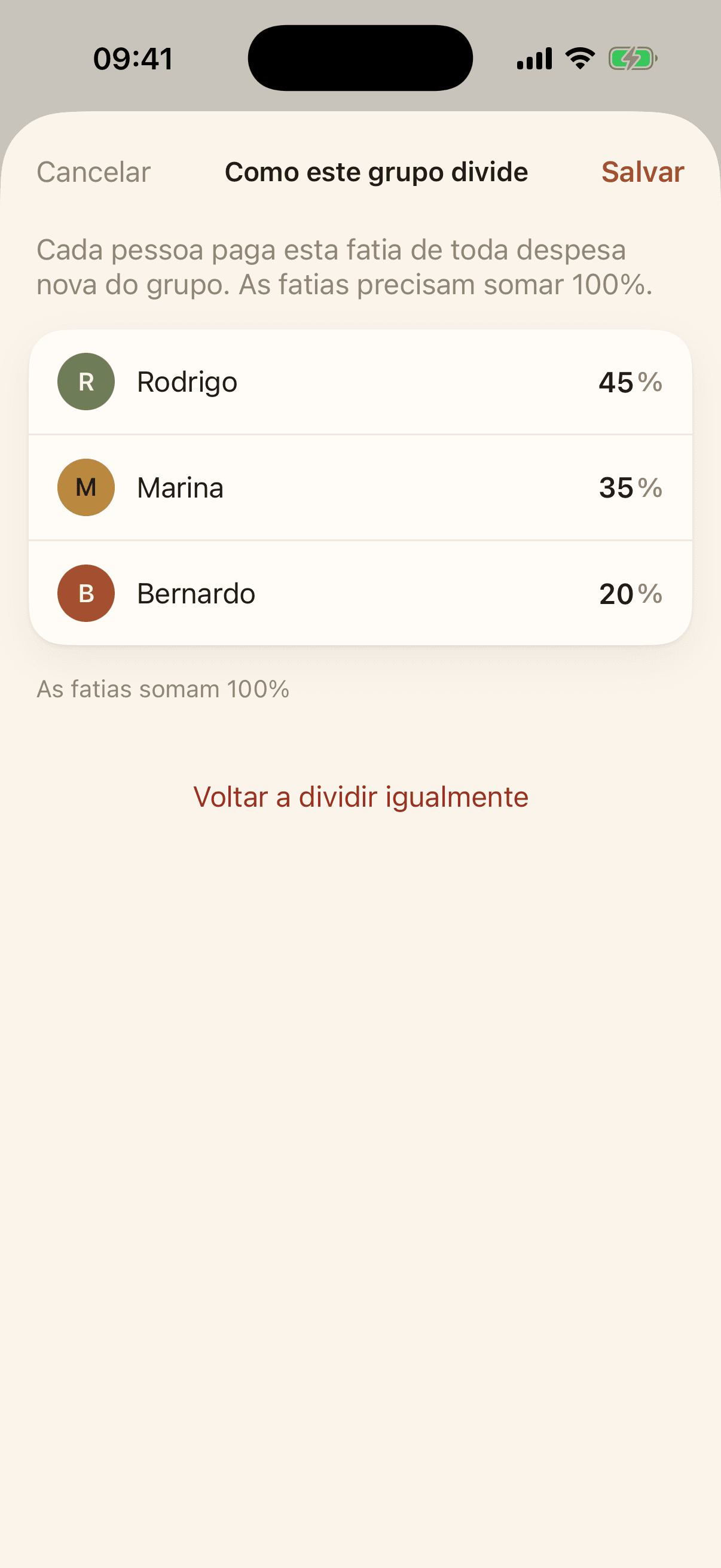
Inside the group, open People and settling up and tap Split by percentage. Write each person's share as a percentage — the shares have to add up to 100%, and the line below shows how much is missing.
Once the proportion is set, every new expense in the group opens with it, and each person's amount is shown next to their share. You can change the split of one specific expense without touching the group's rule.
To go back to equal parts, open the same screen and tap Go back to splitting equally.